Skip to main content

Quick answer: The safest way to sanitise electronics is to power them off first, then clean with a dry or barely-damp lint-free microfibre cloth. Never spray liquid directly onto a screen or keyboard – dampen the cloth instead, and use a 70% isopropyl alcohol solution for germ hotspots like remotes and keycaps.
Between sticky fingers and constant dust, household electronics become grime magnets fast. Whether you’re managing a busy home in Reigate or a commercial office in Redhill, keeping screens and devices clean without damaging sensitive circuitry takes the right technique.
If you’re searching for a trusted domestic cleaning service in Surrey, it helps to know exactly how the professionals do it. Here’s how you can safely tackle these high-touch items.
How Do You Clean a Flat-Screen TV Without Damaging It?
Flat-screen TVs are delicate. The wrong cleaner can permanently strip the anti-glare coating, so technique matters more than product.
- Power down first. Always turn off and unplug the TV before cleaning.
- Use a dry microfibre cloth. Wipe gently in circular motions with a clean, lint-free cloth.
- Handle stubborn marks carefully. Never spray liquid directly onto the screen. Lightly dampen the cloth with distilled water (tap water leaves mineral residue) or a screen-specific solution, then dry immediately.
How Do You Sanitise a Keyboard Properly?
Keyboards collect food debris, dust, and sneeze droplets in every crevice, making them one of the germiest items in any home or office.
- De-dust first. Turn the keyboard upside down and tap gently, or use compressed air to blast debris from between the keys.
- Sanitise the keycaps. Lightly moisten a cloth with a 70% isopropyl alcohol solution and wipe each key. Keep the cloth damp, not dripping, so liquid can’t seep into the switches.
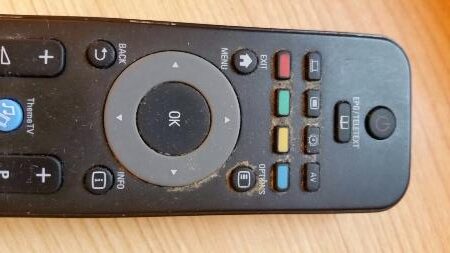
What’s the Best Way to Clean a TV Remote?
Remotes travel from hand to hand and couch cushion to floor, picking up grease and skin cells along the way — they’re genuine germ magnets.
- Remove the batteries first.
- Clear the seams. Use a wooden toothpick to gently lift dirt lodged around the buttons.
- Wipe and dry. Clean the exterior with an alcohol wipe or damp microfibre cloth, and make sure it’s completely dry before replacing the batteries.
Frequently Asked Questions
Is it safe to use alcohol wipes on a TV screen? No. Alcohol can strip the anti-glare coating on flat-screen TVs. Use only a dry or slightly water-dampened microfibre cloth on screens; save alcohol-based cleaning for remotes and keyboard keycaps.
Can I clean my keyboard with tap water? It’s best avoided. Tap water contains mineral residue that can leave streaks and, worse, seep into switches and cause damage. Use a barely-damp cloth with a 70% isopropyl alcohol solution instead.
How often should electronics be sanitised? Weekly wipe-downs for high-touch items like remotes and keyboards are ideal, with a more thorough clean during a regular domestic cleaning visit.